WebQuest: Google Earth

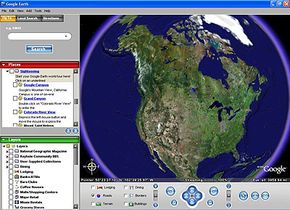
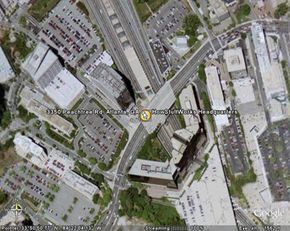
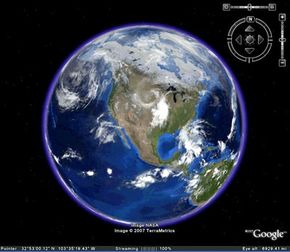
In this WebQuest, we're getting up-close-and-personal with Google Earth, a free downloadable mapping application from the company - with the same name - that helps us find everything on the Internet. The best way to get to know Google Earth is to start with a location and see what Google Earth will tell you about it. So let's start with HowStuffWorks headquarters in Atlanta, GA. If you type "3350 Peachtree Rd. Atlanta, GA" into the Google Earth search box and click "Search," you zoom in from space to HowStuffWorks headquarters. You are now looking at a photograph of the location.


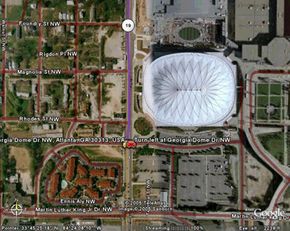
Photo courtesy Google Earth
Launch page with toolbars

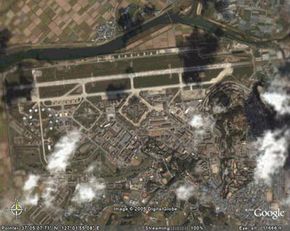
Are you wondering, "Whoa, how'd they do that?" The visual data found on Google Earth comes from satellite imagery and aerial photographs taken by aircraft. What you're seeing isn't in real-time, though. Meaning that what you're looking at isn't being photographed as you look at it. It's an older image. But it's probably not super old. According to Google, the information is no more than three years old. And it's continually updated as new data becomes available.


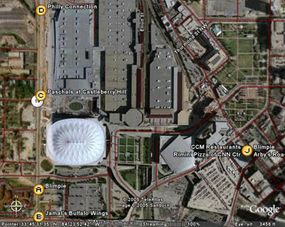
Photo courtesy Google Earth
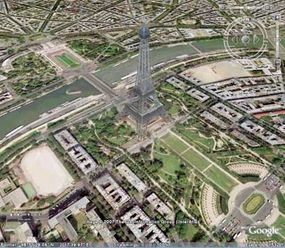
The Eiffel Tower

To get more information and turn the photograph into a real map, the next step is to turn on some layers. Available layers include dining, lodging, banks, roads, terrain, malls, grocery stores, gas stations, parks, transit, schools and geographic features.

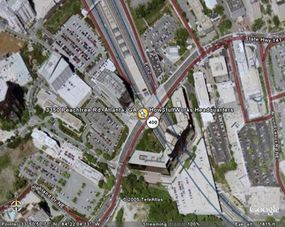
To create a nice, functional map, you might just turn on the "roads" layer. If you zoom out a bit, you've got yourself a good driving map of the broader area surrounding 3350 Peachtree Rd. in Atlanta. You can save, print or e-mail all of the information you've generated so far. There are buttons in the Google Earth toolbar to accommodate each of these actions.


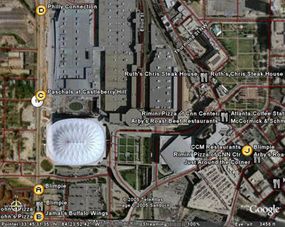
Photo courtesy Google Earth
HowStuffWorks headquarters in Atlanta

Want to see what options the HowStuffWorks staff has for lunch? Turn on the "Dining" layer. The program will search the entire Google "Dining" category for restaurants in the area. You could also use the "Local Search" button and enter, say, "restaurants" in the "What" box and leave the default "Current view" in the "Where" box.

Specs
Right now, the basic version of Google Earth is completely free. Of course, this could change in the future. If your computer runs Windows or Mac OS X 10.4 or higher, and it's fewer than five years old, you should have no problem meeting the system requirements. You can download the free version of the software from Earth.Google.com. Every time you open Google Earth, it automatically connects to Google's servers. So you need to have an Internet connection to use it.

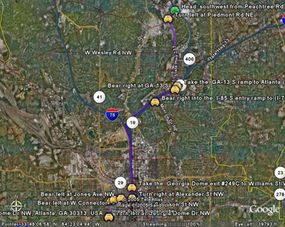
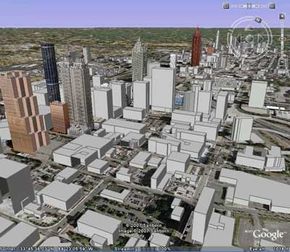
OK - so other mapping applications do cover this sort of basic information, although the view in Google Earth is prettier. But what truly sets this program apart are the functions that make it a pastime, not just a utility. You can experience video flyovers as you travel to and from a destination. You can get a real feel for a city by using the 3-D view feature. And, if you're longing to see distant lands but don't yet have the money, time or your parent's permission - you can go sightseeing.


Try this:

To do this exercise, you will need to go to http://earth.google.com/download-earth.html. With permission from your parents or teacher, download and install the free version of Google Earth for Windows 2000/XP or Mac OS 10.4. To use the software, you'll also need a broadband Internet connection.

Now, using Google Earth, find the location for the following landmarks. (For U.S. landmarks, find city and state. For international landmarks, find city and country.) Using the layers feature, find nearby restaurants, lodging (hotels, motels, hostels, etc.) schools, parks and shopping areas.

Next, create a bar graph showing the number of restaurants near each landmark. Which landmark has the most number of restaurants nearby? Is there a difference between national and international landmarks? You can create bar graphs for each of the layer features (lodging, schools, parks, etc.) and compare those results.

Landmarks

  • Golden Gate Bridge
  • Yankee Stadium
  • Buckingham Palace
  • Sydney Opera House
  • Crater Lake
  • HowStuffWorks Office in ATL
  • Niagara Falls
  • Walt Disney World
  • Trafalgar Square
  • Eiffel Tower